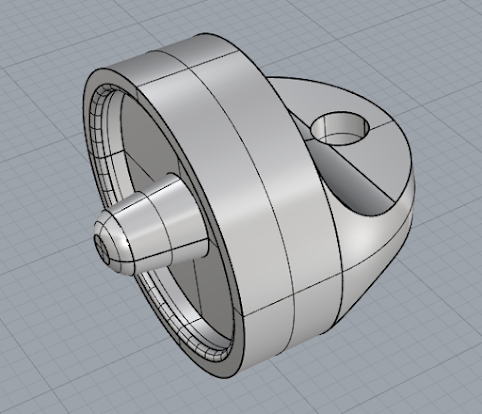
I was able to finish the batteries and the magnetic top. I also got the part I am going to be subtracting from the screw top to give it the hatch effect.
So my plan changed from the footstool as I was having trouble making soft edges and rotating the pockets to face outwards rather than just up. so I changed gears and instead made a coffee table with randomly generated cubes to form the top of it. the legs and and cubes are fully adjustable with the design. I was inspired to make it look like a glitch because its fun to blend the digital realm and reality together. It would also make an interesting statement piece. Though maybe not for a house with children because of all the sharp corners. Its not often that you see furniture trying to escape its own form. This statement coffee table could be found in any modern or Avant guard living room. In reality I see this piece being made out of wood or molded plastic. Here is a scale view and the glitched coffee table by itself Here it is in a plastic material and an animation of the tabletop and the grasshopper definition
This is my first time using Rhino to create a 3D object. I have had some experience in AutoCAD before but that was a few years ago now. It took a little bit to relearn commands but I think I'm getting the hang of it again. I was inspired by African architecture where buildings are boxy and flat and the ones in more arid climates have wind towers to allow airflow and cooling to a building. Which is pretty cool. The first picture is an in-process picture. Here I mainly used the rectangle and extrude functions as well as the box function. Here is a ghosted version of the complete castle. front/ right side view This is a close up of the top parts of the wind tower. Here the spacing between columns is created by adding another column to the side then subtracting it later. The roof on the columns is created with a box which I then used Boolean difference to subtract extruded cylinders from. After that I grouped the whole piece together to make it easier to move ...
Here is a rough version of the grasshopper definition. I'm going to continue it once I figure out how to filet the edges of the main shape. The main shape is a polygon with thick legs. I started doing some work in rhino. I figured it might be easier to bring the main shape in and filet it and project the pockets in rhino first. Then I would bring it to Grasshopper so it could be altered. some sketches of what I decided to go with some of my other ideas



Comments
Post a Comment